Introduction
Fractions can feel confusing—especially when you’re trying to solve them quickly using a calculator. Whether you’re a student, a parent helping with homework, or just brushing up on math skills, knowing how to use fractions in a calculator can save time and prevent mistakes.
In this guide, you’ll learn:
How to enter and solve fractions on a calculator
How to handle fraction in addition and other operations
How to convert decimals into fractions
How to work with mixed numbers and whole numbers
Everything is explained in simple steps with real examples—so you can follow along easily, even if you’re a beginner.
What Does “Fraction in a Calculator” Mean?
Using a fraction in a calculator means entering numbers like:
½
3/4
5/8
Instead of converting them manually, many modern calculators (especially scientific ones) allow you to input fractions directly and get accurate results.
Why it matters:
Reduces calculation errors
Saves time during exams or homework
Helps understand math concepts better
How to Enter Fractions in a Calculator (Step-by-Step)
The method depends on the type of calculator you’re using.
On a Scientific Calculator
Most scientific calculators (like Casio or TI models) have a fraction button.
Steps:
Turn on your calculator
Press the fraction button (a b/c)
Enter the numerator (top number)
Press down arrow
Enter the denominator (bottom number)
Press equals (=)
Example:
To enter 3/4:
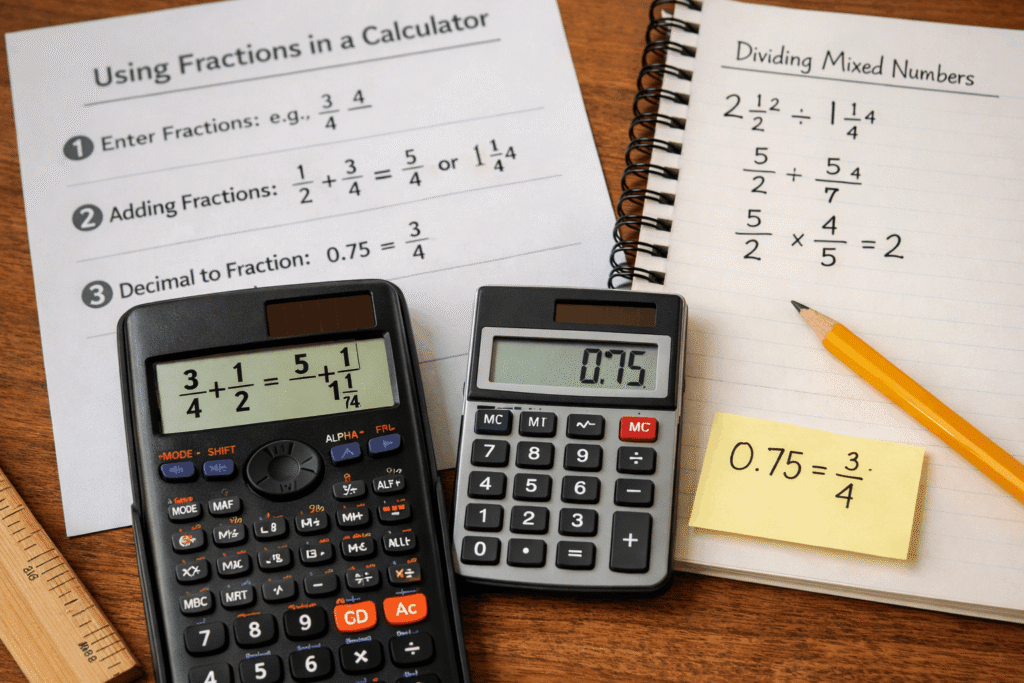
Press: 3 → a b/c → 4 → =
Result: 0.75 (or fraction form, depending on mode)
On a Basic Calculator
Basic calculators don’t support fractions directly.
You must convert:
3/4 = 3 ÷ 4 = 0.75
Fraction in Addition (With Calculator Examples)
Adding fractions is one of the most common problems students face.
Example:
1/2 + 3/4 = ?
Method 1: Using a Scientific Calculator
Enter: 1/2
Press +
Enter: 3/4
Press =
Result: 5/4 or 1.25
Method 2: Manual (Understanding concept)
Find common denominator: 4
Convert:
1/2 = 2/4
3/4 = 3/4
Add: 2 + 3 = 5/4
Pro Tip:
If you’re building your blog, this is a great place to internally link to:
“How to Add Fractions Step by Step” guide
How to Turn Decimals into Fractions
Sometimes your calculator gives answers in decimals—but you need fractions.
Example:
Convert 0.75 to a fraction
Steps:
Write as: 75/100
Simplify:
Divide both by 25
Result: 3/4
Another Example:
0.5 = 5/10 = 1/2
Using Calculator:
Some advanced calculators have a S⇔D button:
Converts decimal ↔ fraction instantly
Real-Life Use (USA Context):
Students in U.S. schools often switch between decimals and fractions in:
SAT prep
Algebra classes
Everyday math problems
Understanding both formats helps improve accuracy in exams.
Fraction Calculator with Whole Numbers
Fractions are often combined with whole numbers.
Example:
2 + 3/5 = ?
Steps:
Enter: 2
Press +
Enter: 3/5
Press =
Result: 2.6 or 2 ⅗
Another Example:
4 1/2 + 2 1/2
Convert to improper fractions:
4 1/2 = 9/2
2 1/2 = 5/2
Add:
9/2 + 5/2 = 14/2 = 7
Tip:
Always check if your calculator can:
Handle mixed numbers
Convert automatically
Dividing Mixed Numbers (Easy Method)
Dividing mixed numbers is easier when you follow a simple process.
Example:
2 1/2 ÷ 1 1/4
Step 1: Convert to improper fractions
2 1/2 = 5/2
1 1/4 = 5/4
Step 2: Multiply by reciprocal
5/2 ÷ 5/4 = 5/2 × 4/5
Step 3: Solve
= 20/10 = 2
Using Calculator:
Convert to improper fractions
Enter as multiplication
Get result instantly
Common Mistake:
❌ Forgetting to flip the second fraction
✔ Always use reciprocal when dividing
Common Problems and How to Fix Them
❌ Problem 1: Wrong Input Format
✔ Use proper fraction button or division
❌ Problem 2: Decimal Confusion
✔ Convert decimals into fractions when needed
❌ Problem 3: Mixed Numbers Errors
✔ Always convert to improper fractions first
❌ Problem 4: Calculator Mode
✔ Switch between:
Decimal mode
Fraction mode
FAQ (People Also Ask Style)
1. How do you put fractions into a calculator?
Use the fraction button (a b/c) on a scientific calculator, or divide the numerator by the denominator on a basic calculator.
2. Can all calculators solve fractions?
No. Basic calculators cannot handle fractions directly. Scientific calculators are recommended.
3. How do you convert decimals into fractions quickly?
Write the decimal as a fraction over 10, 100, or 1000, then simplify it.
4. What is the easiest way to add fractions?
Use a calculator or find a common denominator, then add numerators and simplify.
5. How do you divide mixed numbers step by step?
Convert them into improper fractions, flip the second fraction, then multiply.
Conclusion
Understanding how to use a fraction in a calculator makes math faster, easier, and more accurate. Whether you’re adding fractions, converting decimals, or solving mixed numbers, the right method can save you time and frustration.
Key Takeaways:
Use scientific calculators for best results
Always convert mixed numbers when needed
Learn decimal ↔ fraction conversion
Practice with real examples